
 Accessibility is the measure of how many differently skilled/abled types of people (including individuals with disabilities) in varying locations (e.g. mobile web) can make use of a given product. There exist many, very thorough, guidelines for determining the degree to which a product adheres to accepted accessibility standards. However, many can be very complex and time-consuming, also requiring the study of a good deal of the underlying code — much of which goes against the goals of the ‘quick’ part of Quick-UX.
Quick-UX
Quick-UX provides for the rapid, simple and quantifiable assessment of a product’s User Experience (UX). In answering the question of Usability, "Should I use it?" the sub-category of Accessibility represents one of the more complex components.
Today, we will look at 2 examples of products with Comprehensive Accessibility, with Quick-UX Accessibility values above 0.8.
Comprehensive Accessibility
Example: RoundHouse
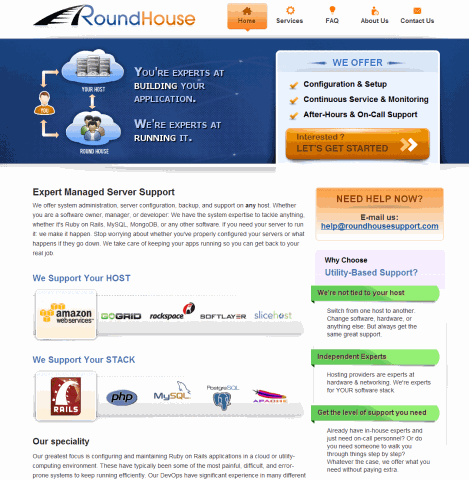
RoundHouse is a product focused on providing system administration support to other businesses. And it’s clear that their support goes beyond the server…
RoundHouse received the following results from FAE…
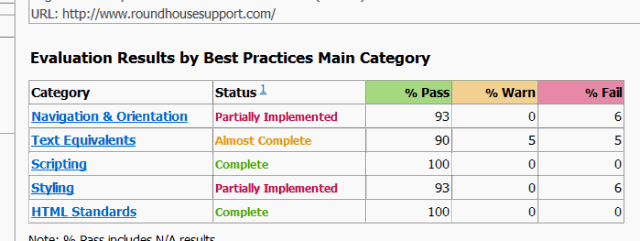
…resulting in an Accessibility variable value of 0.904, Comprehensive Accessibility.
Should Do
 The two products highlighted within this article for Comprehensive Accessibility have both done a great job with their Accessibility implementations. But, even within the RoundHouse product there is room for improvement.
Navigation & Orientation
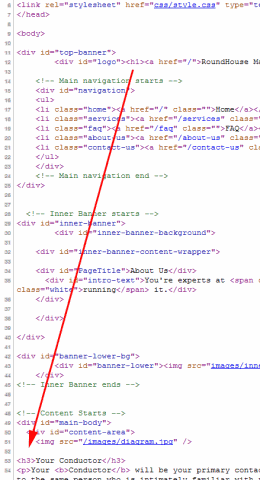
- When using <H#> tags on a page, they should go in-order, and not skip heading delineations for visually stylistic convenience.
This was found to occur on numerous pages. In each of these cases, the content of the page goes from H1 directly to a series of H3’s – when a styled H2 would have been better, and clearer.
- Be sure to always indicate the default language for the content of the webpage. For example,
<HTML lang=”en-us” …. >
Text Equivalents
- Always specify informative ALT text for your images.
Styling
- The <b> element is an indication of font-type, as opposed contextual meaning. Use <H#> tags or <strong> or <em> to better convey the underlying meaning of the content.
Example: Functional Accessibility Evaluator (FAE)
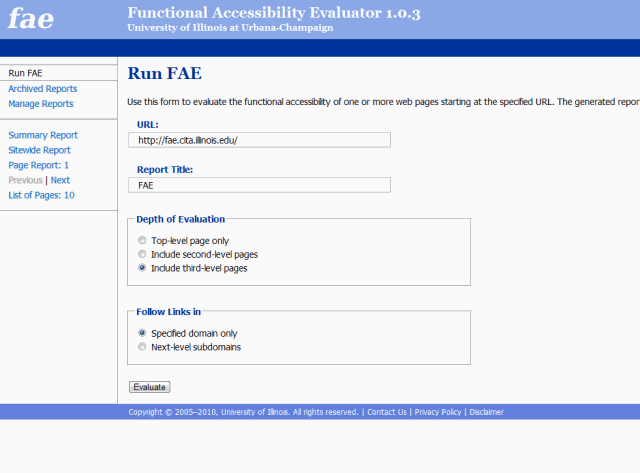
It’s always fun to point out how the tool, itself responsible for the quick evaluation of all the products within the Quick-UX discussion of Accessibility, should be improved to also achieve a higher value.
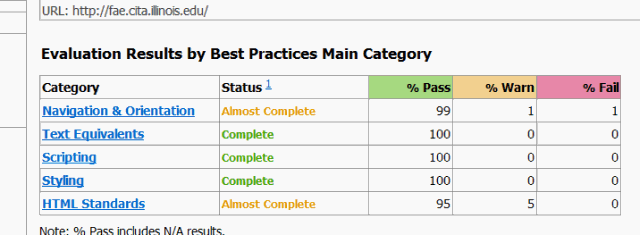
…resulting in an Accessibility variable value of 0.976, Comprehensive Accessibility.
Should Do
The portion of the product that could be improved, while minor, as it achieved the highest score, that would have the greatest impact upon the score’s improvement, would be to focus on HTML Standards.
HTML Standards
- Specify every page’s content type. While typically implemented, there is a noticeable occasional absence of…
<meta http-equiv="content-type" content="text/html; charset=UTF-8"/>
Quick & Usable
Over the next few weeks I will be exploring the ins-and-outs of a variety of products, and walking through real-world examples of the Quick-UX evaluation of Accessibility…
Comprehensive Accessibility [RoundHouse & FAE]
Nearly Comprehensive Accessibility [UseIt & Eboy]
Moderate Accessibility [Borders, Bloomberg & NY1]
Fair Accessibility [CNET & Drudge Report & NBC NY]
Poor Accessibility [GoodReads & Barnes and Noble]
Subscribe now (click here) to make sure you don’t miss any part of this series exploring the Usefulness and Credibility components of Quick-UX, the quick and easy method of generating quantifiable and comparable metrics representing the understanding of the overall User Experience of a product, as well as other insightful posts from The Product Guy.
Enjoy!
Jeremy Horn
The Product Guy
 The Product Guy